
How it works
How our accessibility audits work
From kickoff to report in around 14 days. Every audit combines disabled user testing, automated scans, and expert WCAG 2.2 analysis.
Process overview
A three-stage audit flow.
Disabled user testing, automated scans, then expert WCAG 2.2 reporting.
- Step 1
Assistive technology testing
8-10 paid testers assess key journeys with screen readers, magnification, and keyboard navigation to uncover barriers automation misses.
- Step 2
Automated scanning
Industry-standard automated tools surface code-level issues like colour contrast, missing labels, and structural defects.
- Step 3
Expert WCAG analysis
Accessibility specialists map findings to WCAG 2.2 and produce a clear report with remediation priorities.
Pricing
Fixed pricing with a typical 14-day turnaround from kickoff to report delivery.
Partner rate
Best for recurring agency delivery with priority scheduling included.
Ad-hoc rate
Best for one-off projects that need the same full audit methodology.
Partner rate
£500
Agencies baking audits into their service package.
- Full WCAG audit
- PDF report
- Dashboard access
- Priority scheduling
Ad-hoc rate
£650
One-off accessibility audits.
- Full WCAG audit
- PDF report
- Dashboard access
Interested in a partner relationship? Contact us to discuss volume discounts.
What's included
Scope, coverage, and delivery outputs in one audit package.
Scope & Coverage
What is covered in each audit engagement.
- Up to 50 pages or key user journeys
- Desktop and mobile responsive testing
- Multi-step forms, account areas, and checkout flows
- Static sites, CMS platforms, and SPAs
Deliverables & Outputs
What your team receives to action and report progress.
Detailed reports
- Executive summary with priority findings
- WCAG 2.2 mapping for each issue
- Manual tester feedback with assistive-tech context
- Remediation guidance with practical implementation notes
Dashboard access
- Track remediation progress across findings
- Share outcomes with delivery and stakeholder teams
- Export evidence for compliance documentation
- Clarification on findings and implementation
From insight to action
Track findings, prioritize remediation, and move delivery forward through a focused workflow.
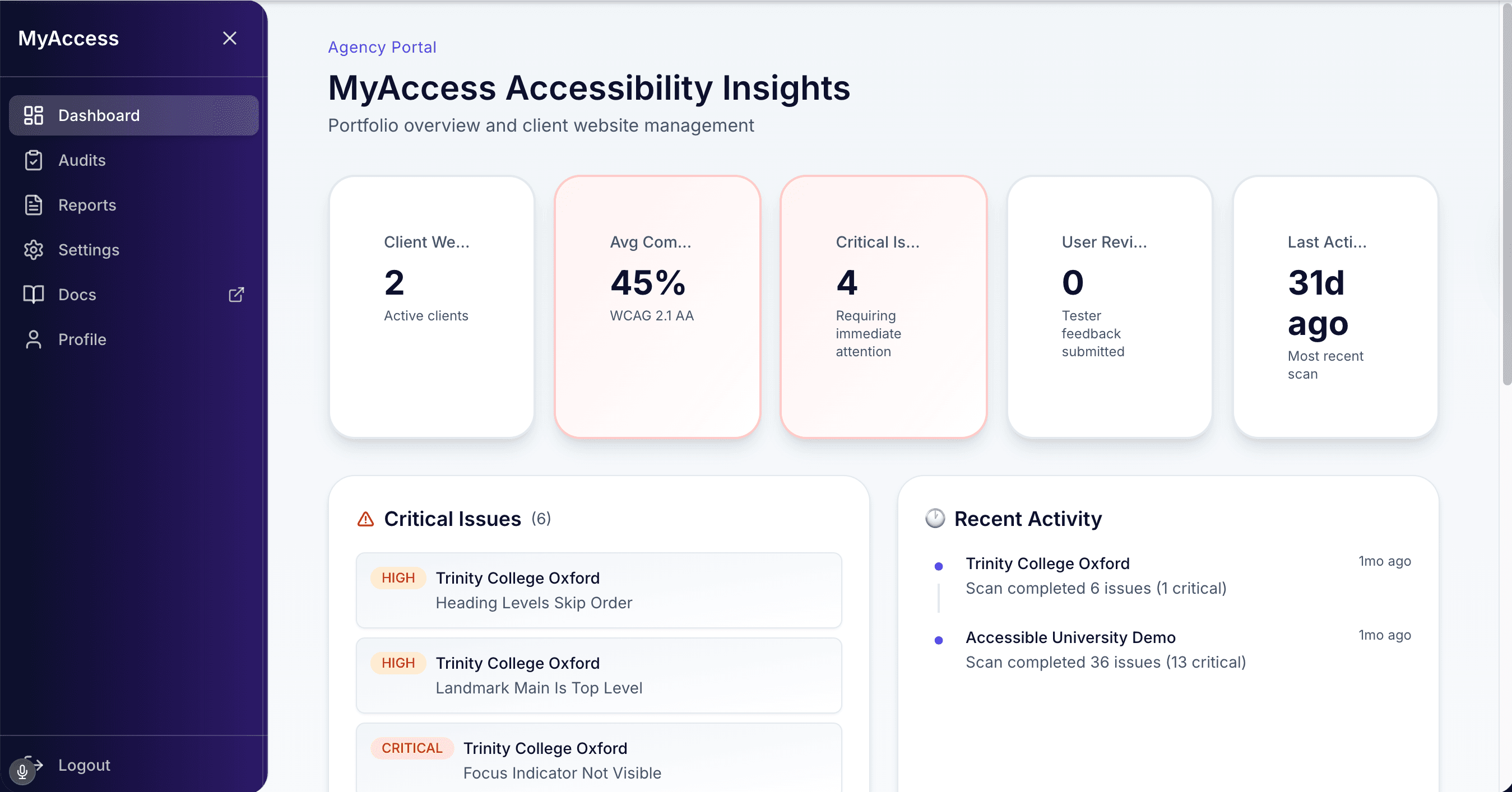
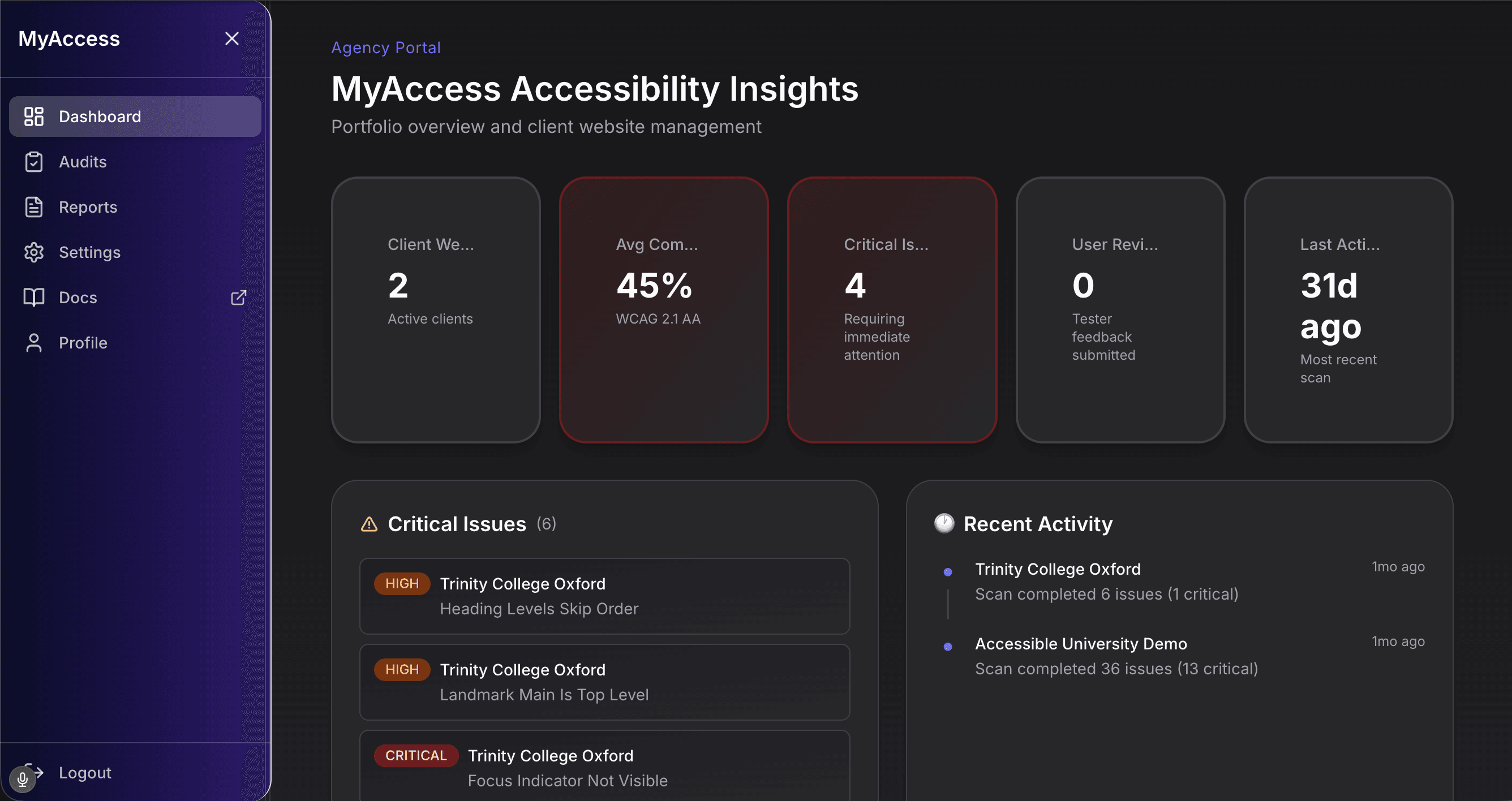
Monitor audit outcomes
Track critical issues, compliance progress, and recent activity across clients in one dashboard.
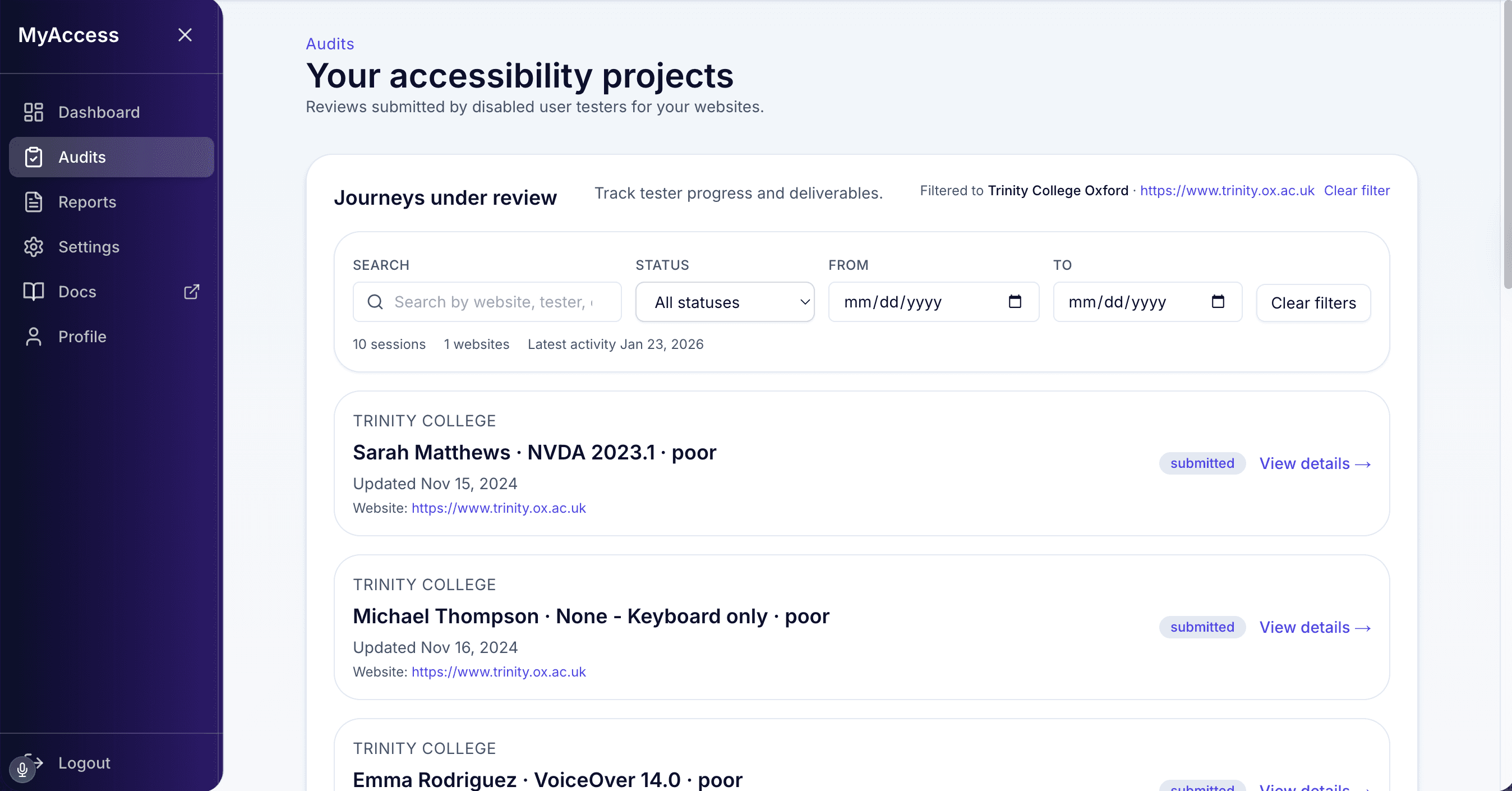
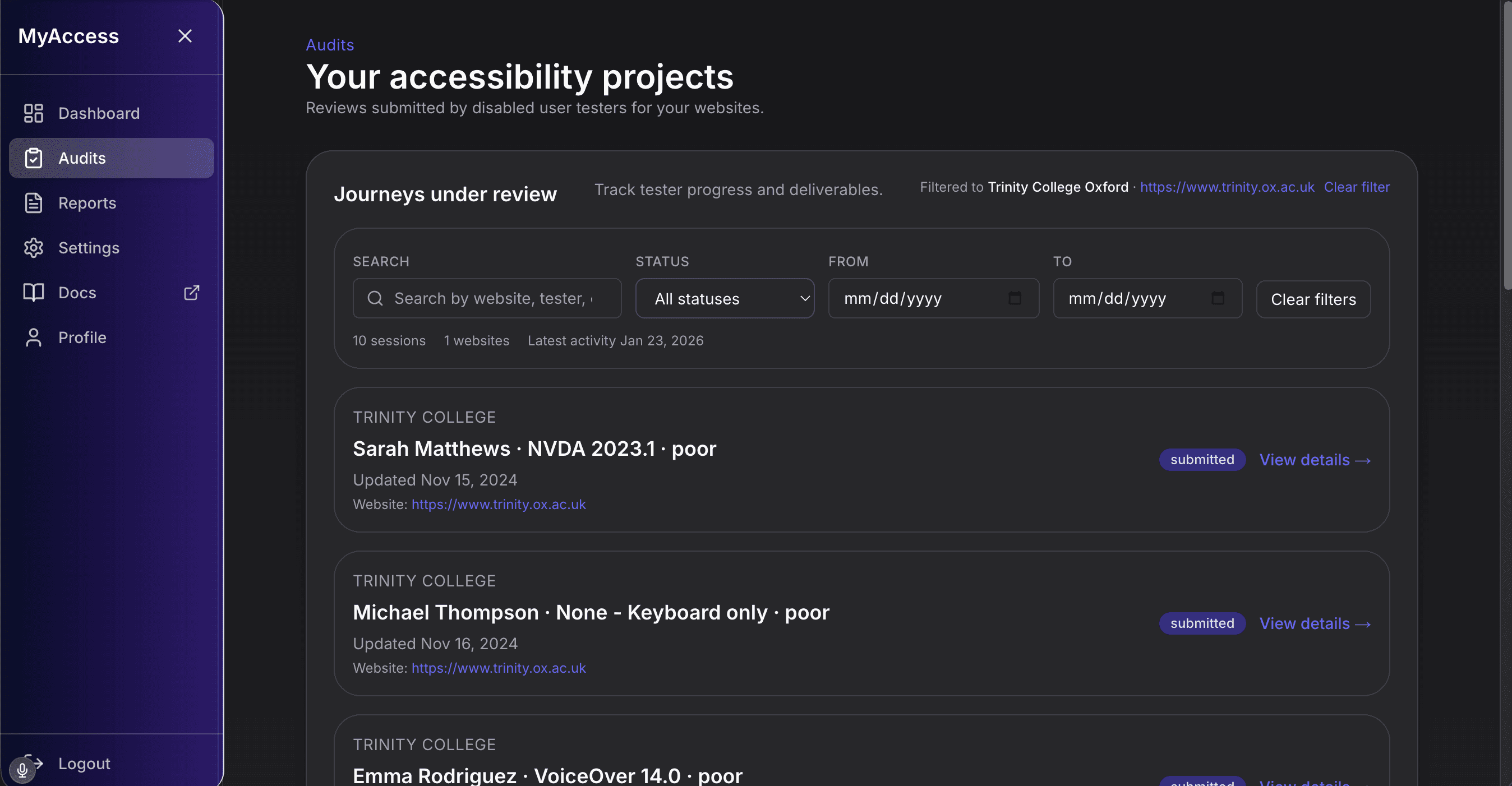
Review tester evidence
See sessions grouped by report and review tester submissions before planning remediation.
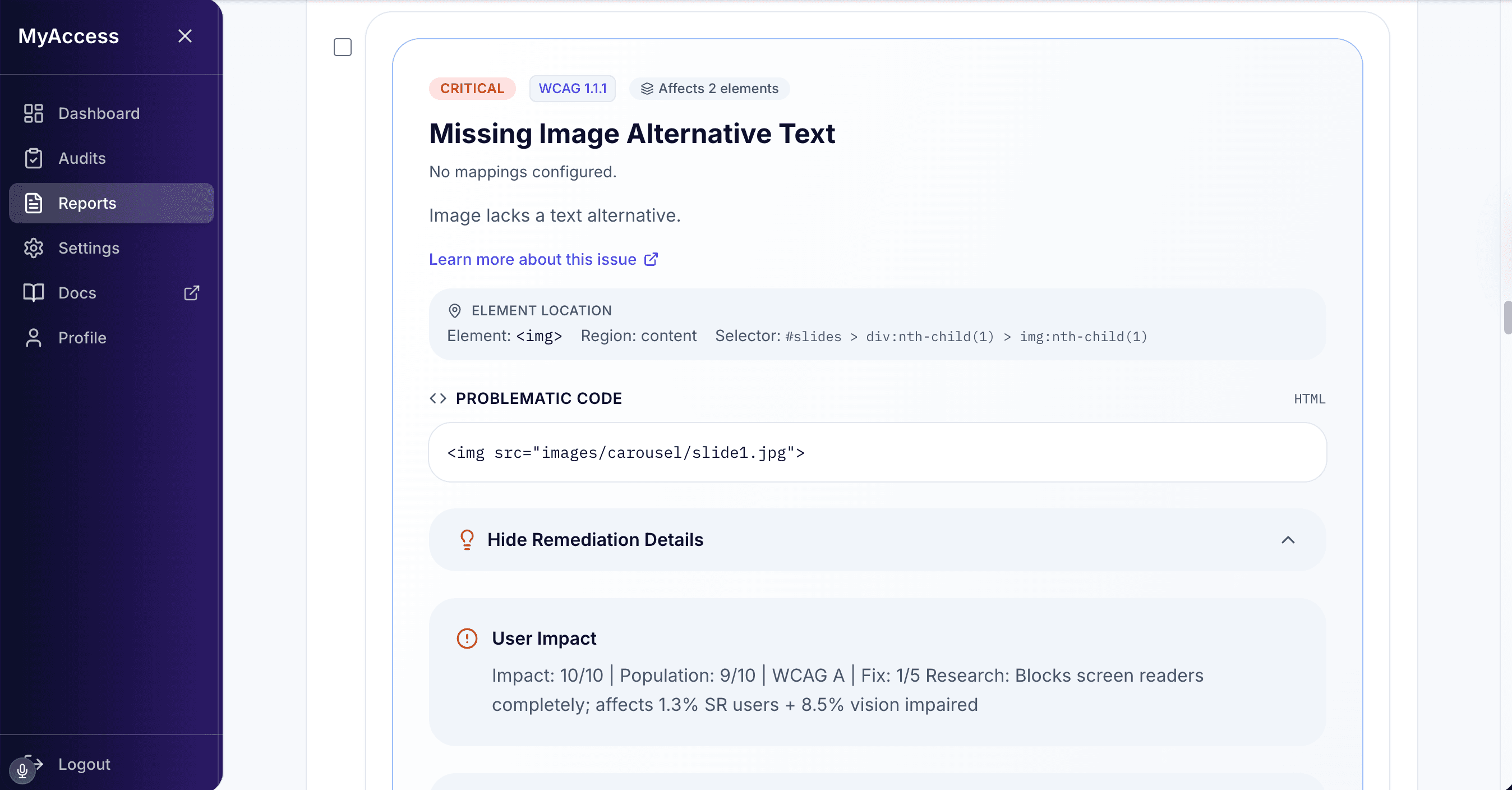
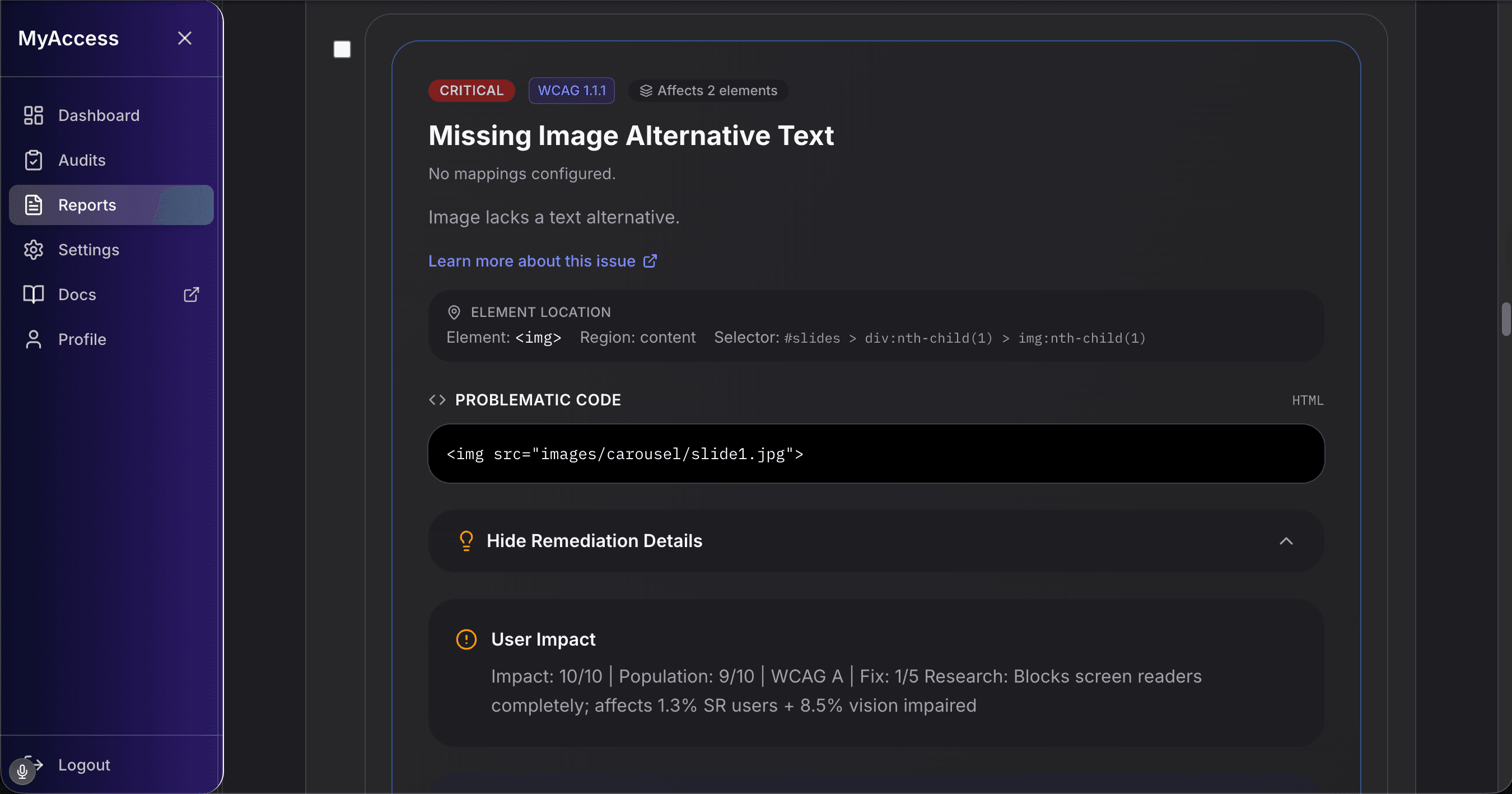
Prioritize remediation
Use report-level issue detail, WCAG mapping, and fix guidance to define delivery priorities.
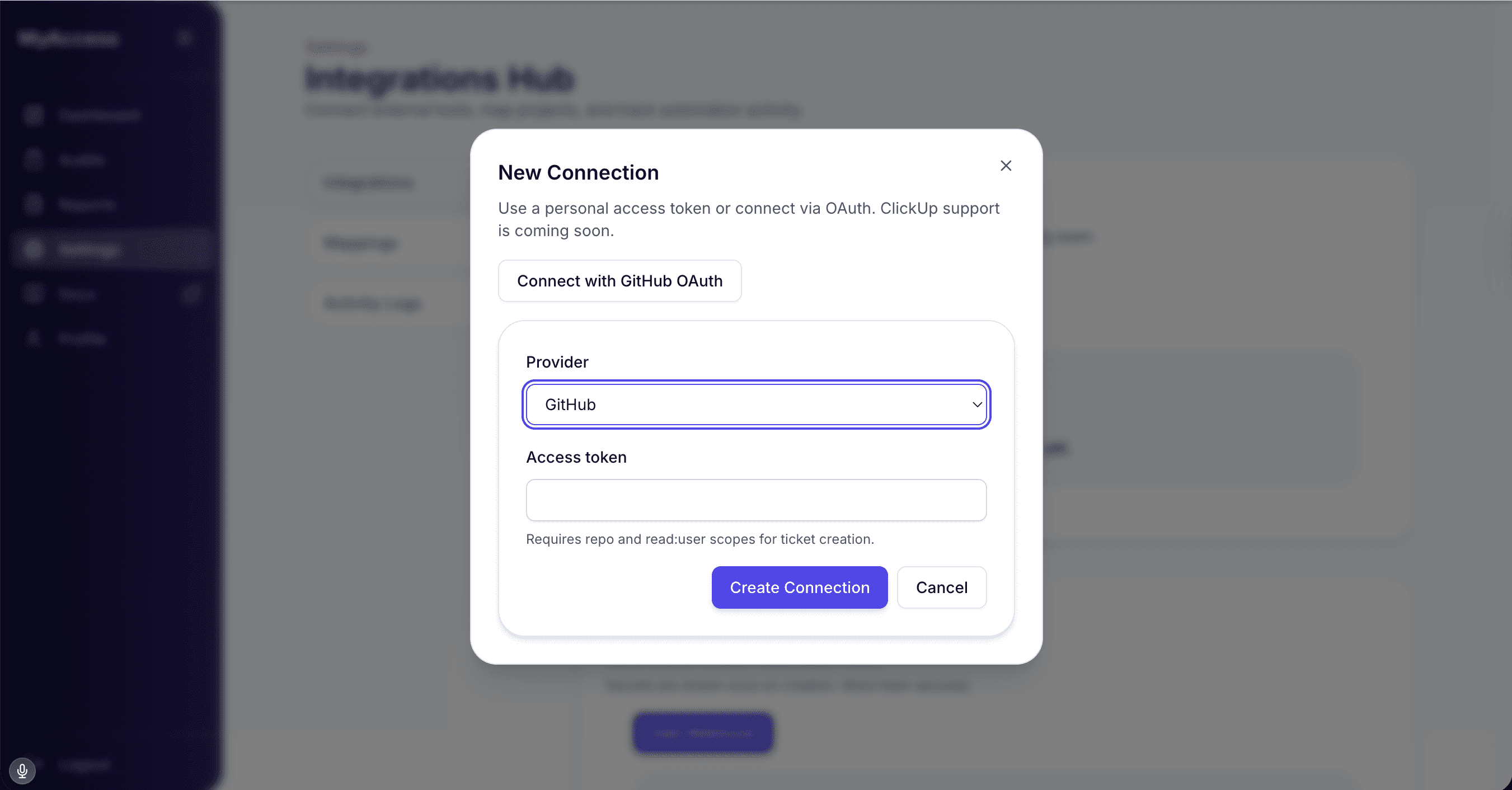
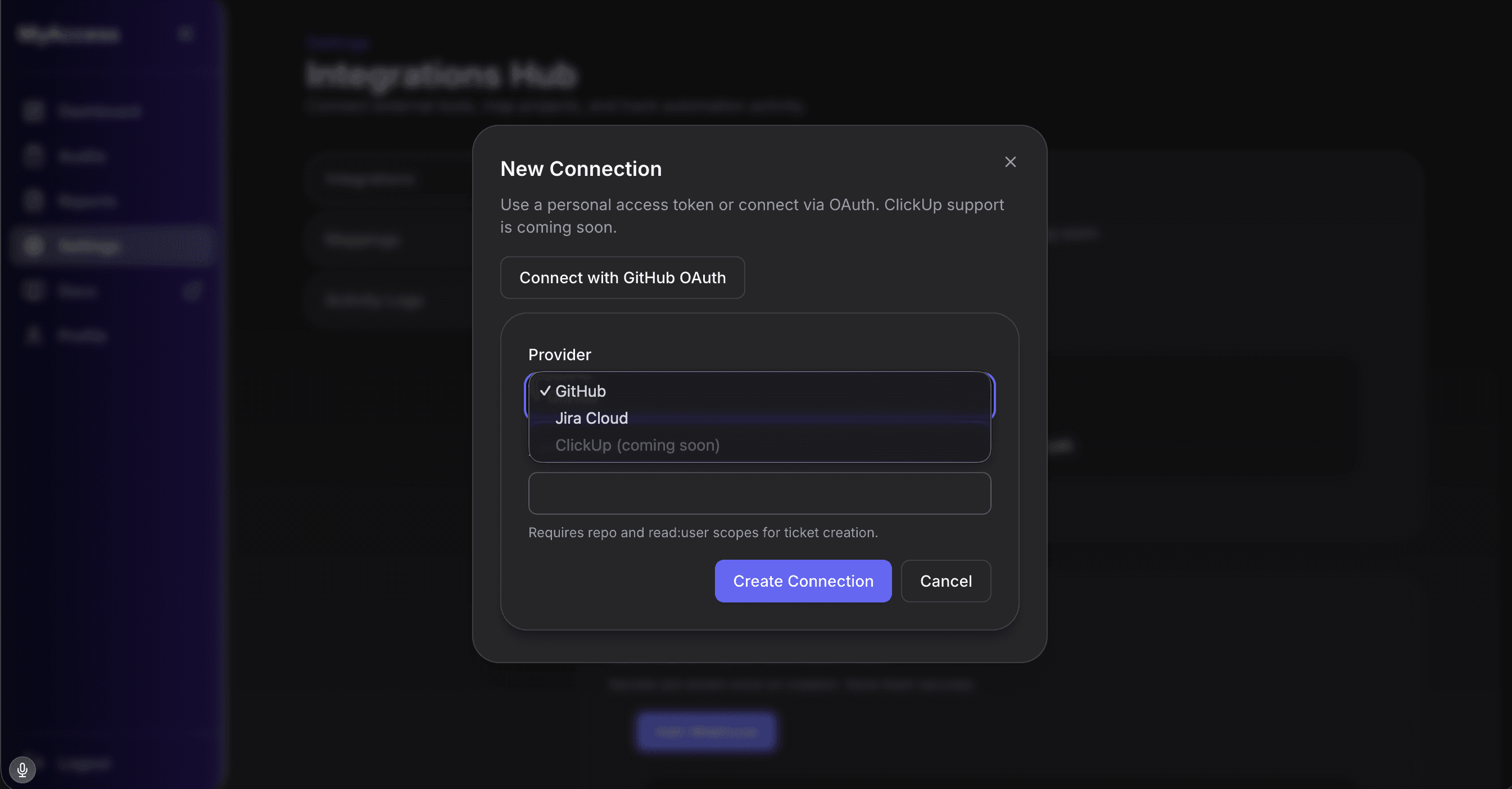
Send fixes to delivery tools
Create Jira or GitHub issues directly from findings so teams can move straight into implementation.
Assistive tech matrix
Multi-deviceThe assistive technologies and platforms our testers use during every audit. Screen readers, magnifiers, and keyboard navigation each interact with your code differently — and even tools within the same category don't behave alike. By covering what disabled people actually rely on day to day, findings reflect genuine user experience rather than theoretical compliance.
- Windows
Screen reader
- Screen reader on Windows: JAWS
- NVDA
- macOS
Screen reader
- Screen reader on macOS: VoiceOver
- iOS
Screen reader
- Screen reader on iOS: VoiceOver
- Android
Screen reader
- Screen reader on Android: TalkBack
- Windows
Magnification
- Magnification on Windows: ZoomText
- Windows
Voice control
- Voice control on Windows: Dragon Professional
- macOS / iOS
Voice control
- Voice control on macOS / iOS: Voice Control
- Windows
Visual adaptation
- Visual adaptation on Windows: Contrast Themes
- Cross-platform
Input method
- Input method on Cross-platform: Keyboard-only navigation



What we test
Manual tester feedback, automated evidence, and WCAG 2.2 checks across key devices.
Interaction & Navigation
Keyboard order and visible focus
Test complete user journeys using keyboard only, including Tab, Shift+Tab, Enter, Escape, and skip links.
Findings include broken tab sequence, hidden focus indicators, and keyboard traps with exact reproduction paths.
- WCAG 2.1.1
- WCAG 2.4.3
- WCAG 2.4.7
Screen reader reading order and announcements
Validate page structure and interactive controls with JAWS, NVDA, VoiceOver, and TalkBack across core flows.
Reports document missing labels, misread state changes, and context loss during navigation.
- WCAG 1.3.1
- WCAG 4.1.2
Forms, validation, and recovery support
Submit forms with valid and invalid inputs to assess instructions, error identification, and correction guidance.
Each issue captures affected field patterns, error behavior, and remediation notes for engineering teams.
- WCAG 3.3.1
- WCAG 3.3.3
Dialogs, menus, and dynamic UI controls
Exercise modals, menus, accordions, and drawers to verify focus management, dismiss controls, and escape routes.
Output highlights focus leakage, inaccessible control states, and blocked exit paths.
- WCAG 2.1.2
- WCAG 2.4.6
Status messages and live region behavior
Trigger loading, success, warning, and error states to confirm assistive technology announcements.
Audit evidence notes missing or delayed announcements and unclear messaging during task completion.
- WCAG 4.1.3
Pointer alternatives and gesture independence
Check that actions relying on hover, drag, or complex gestures remain operable through simple inputs.
Findings identify controls that exclude keyboard or non-precision input users.
- WCAG 2.5.1
- WCAG 2.5.7
Content & Compliance
Heading hierarchy and landmark clarity
Review heading levels and landmark regions to ensure predictable page structure for navigation shortcuts.
Reports include hierarchy gaps, skipped levels, and landmark ambiguity with page references.
- WCAG 1.3.1
- WCAG 2.4.1
Accessible names for controls and links
Inspect buttons, links, and form controls for clear, programmatic names aligned with visible intent.
Output identifies ambiguous labels, duplicate names, and missing control purpose.
- WCAG 2.4.4
- WCAG 4.1.2
Non-text content and alternative text quality
Assess images, icons, and graphics for meaningful alternatives and appropriate decorative treatment.
Findings specify missing, redundant, or misleading alternative text by element.
- WCAG 1.1.1
Contrast and non-color visual cues
Validate contrast ratios and confirm critical states are not communicated by color alone.
Audit entries document insufficient contrast and state indicators that fail non-visual interpretation.
- WCAG 1.4.3
- WCAG 1.4.11
- WCAG 1.4.1
Zoom, reflow, and responsive behavior
Test layouts at 200% zoom, 400% reflow, and narrow viewports across key journeys.
Reports capture clipping, overlap, hidden actions, and loss of task completion paths.
- WCAG 1.4.4
- WCAG 1.4.10
Content readability and instructional clarity
Review error copy, helper text, and task instructions for clear intent and understandable next steps.
Findings show where wording causes completion errors or blocks user progress.
- WCAG 3.3.2
- WCAG 3.1.5
Request a sample report
See our methodology in action with a sample accessibility audit report.
- Executive summary with issue priorities
- WCAG 2.2 mapping and remediation guidance
- Example findings from manual user testing
Ready to get started?
See how our process works or apply for partner rates.
Fixed pricing from £500 • Typical turnaround 14 days